

Where to find it
Open the Islamic Galaxy app, go to your Profile tab, then scroll down to Account Actions. The Delete Account option appears at the bottom of that section.
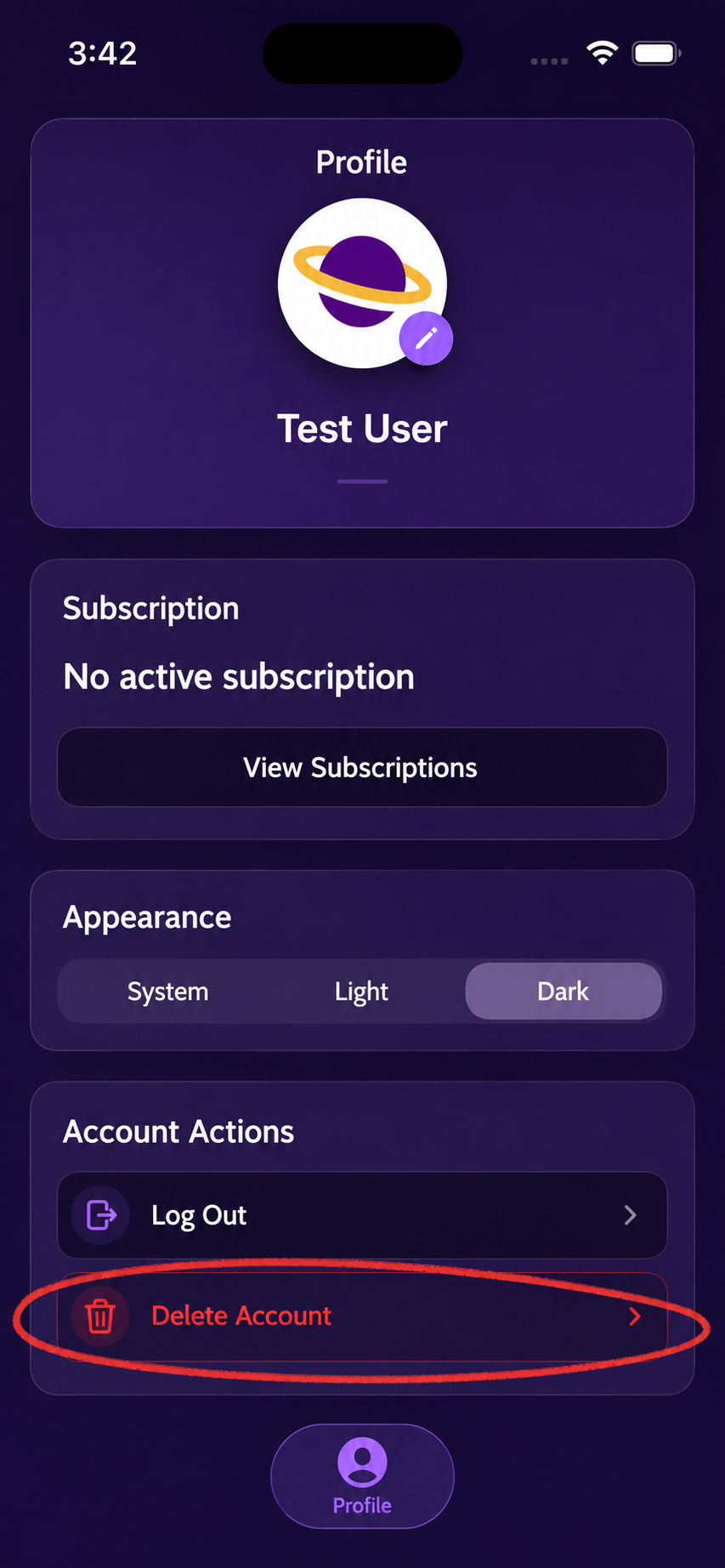
Look for Delete Account at the bottom of Account Actions on the Profile screen.
Open Profile
Launch the Islamic Galaxy app and tap the Profile tab in the bottom navigation.
Tap Delete Account
Scroll down to Account Actions and tap the Delete Account row shown above.
Confirm the prompts
Follow the on-screen confirmation steps to finish deleting your app-created account.
Need help?
If you do not see the Delete Account option, the account was likely not created in the app. If you also have an active subscription through the App Store or Google Play, manage that subscription separately in your store account. For help, visit our contact page.